Game BombSquad: 8-Player Explosive Multiplayer Action
Game BombSquad: 8-Player Explosive Multiplayer Action
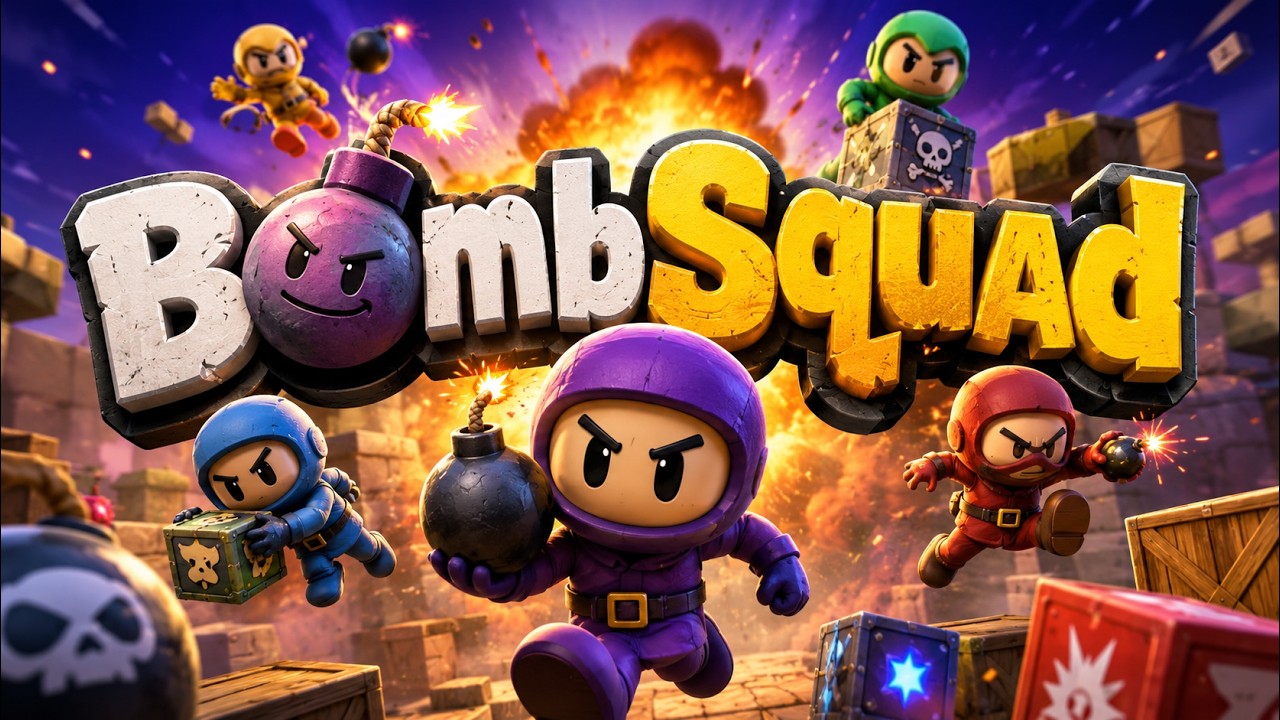
BombSquad is an action-packed multiplayer party game that brings explosive fun to your screen. With support for up to 8 players simultaneously, this game delivers chaotic tournaments where you can blow up your friends or NPCs in a variety of thrilling game modes.
What is BombSquad?
BombSquad is a physics-based multiplayer game developed by Eric Froemling. It combines fast-paced action with hilarious ragdoll physics, creating an unforgettable gaming experience for groups of friends and family. The game is available across multiple platforms including Android, iOS, and PC.
Exciting Game Modes
BombSquad offers a diverse selection of game modes to keep players entertained for hours. Each mode brings unique mechanics and objectives that test your bombing skills in different ways.
Capture the Flag
In Capture the Flag mode, teams compete to steal the enemy flag and return it to their base while defending their own flag from opponents. Strategic bombing and teamwork are essential to victory in this classic competitive mode.
Bomb Hockey
Bomb Hockey transforms the explosive action into a sports-like experience. Players use bombs to push a puck into the opponent's goal, combining precision timing with explosive power for a unique twist on traditional hockey gameplay.
Epic Slow-Motion Deathmatch
The Epic Slow-Motion Deathmatch mode delivers cinematic action sequences where every explosion is captured in dramatic slow motion. This mode highlights the game's impressive physics engine while providing visually stunning combat moments.
Multiplayer Features
One of BombSquad's standout features is its robust multiplayer support. The game accommodates up to 8 players in local multiplayer sessions, making it perfect for parties and gatherings.
Controller Support
BombSquad features simple controller support that works with a wide range of game controllers. Whether you prefer Xbox, PlayStation, or generic USB controllers, the game recognizes and configures them automatically for seamless gameplay.
BombSquad Remote App
No extra controllers? No problem! You can use your mobile device as a controller by downloading the BombSquad Remote app. This innovative feature allows smartphones and tablets to function as wireless controllers, ensuring everyone can join the explosive fun.
Gameplay Mechanics
The core gameplay revolves around throwing bombs at opponents while avoiding their attacks. Players can punch, grab, and throw bombs with simple controls that are easy to learn but difficult to master. The ragdoll physics add humor and unpredictability to every match.
Bombs Are Thrown
The primary mechanic involves picking up and throwing bombs at your opponents. Timing your throws, predicting enemy movements, and using the environment strategically are key skills that separate novice players from bombing experts.
Platform Availability
BombSquad is available on multiple platforms, ensuring players can enjoy the explosive action regardless of their preferred device. Download links are provided below for easy access.
Android Version
Android users can download BombSquad directly from the Google Play Store. The game is optimized for touch controls while also supporting external controllers for the best multiplayer experience.
Download BombSquad on Play Store
iOS Version
iPhone andiPad users can find BombSquad on the Apple App Store. The iOS version maintains the same explosive gameplay and multiplayer features as other platforms.
Download BombSquad on App Store
PC Version
For PC gamers, BombSquad is available through the official website. The desktop version offers enhanced graphics and the most stable multiplayer performance for competitive sessions.
Visit Official BombSquad Website
Why Play BombSquad?
BombSquad stands out in the multiplayer party game genre due to its accessibility, humor, and depth. The simple controls make it easy for anyone to pick up and play, while the competitive mechanics provide lasting appeal for experienced gamers.
Perfect for Parties
With support for 8 players and the ability to use phones as controllers, BombSquad eliminates the barrier of needing expensive equipment. Everyone at your gathering can participate in the explosive tournaments.
Regular Updates
The developer consistently updates BombSquad with new content, bug fixes, and improvements. This ongoing support ensures the game remains fresh and enjoyable for both new and returning players.
System Requirements
BombSquad runs smoothly on most modern devices. The Android version requires Android 4.4 or higher, while the iOS version supports iOS 10.0 and later. PC users need Windows 7 or newer with basic graphics capabilities.
Getting Started
Getting started with BombSquad is straightforward. Download the game from your preferred platform, connect your controllers or launch the remote app, and jump into the action. The tutorial mode helps new players learn the basics of bombing and movement.
Tips for New Players
New players should focus on learning bomb throwing timing and movement controls. Practice in single-player modes before jumping into multiplayer matches. Understanding when to attack and when to retreat is crucial for survival in BombSquad tournaments.
Community and Support
BombSquad has an active community of players who share strategies, custom maps, and game mods. Joining community forums and social media groups can enhance your gaming experience and help you discover new ways to play.
Conclusion
BombSquad delivers explosive multiplayer entertainment that is perfect for gatherings of all sizes. With its intuitive controls, diverse game modes, and cross-platform availability, it remains one of the best party games available today. Download BombSquad now and start throwing bombs at your friends!
More My Components Framer : Framer Marketplace
More Games : Playlist Games on YouTube
Link My Store in CGTrader : My Profile on CGTrader
Link My Profile in BlenderNation:My Profile on BlenderNation
Link My Store in BlenderMarket / SuperHive : My Store BlenderMarket ( SuperHive )
Like,Share, Comment, and Subscribe !!!
✨ Support Me :
Buy me a coffee:Buy me a coffee
Link Ko-Fi:Support me on Ko-fi
Link PayPal:Donate via PayPal
Please visit my store, if you want to buy you can via this link or contact me : My LinkTree
Email : colab232777@gmail.com