Blender Tutorial Fabric Texture Material - Easy and Simple Tutorial
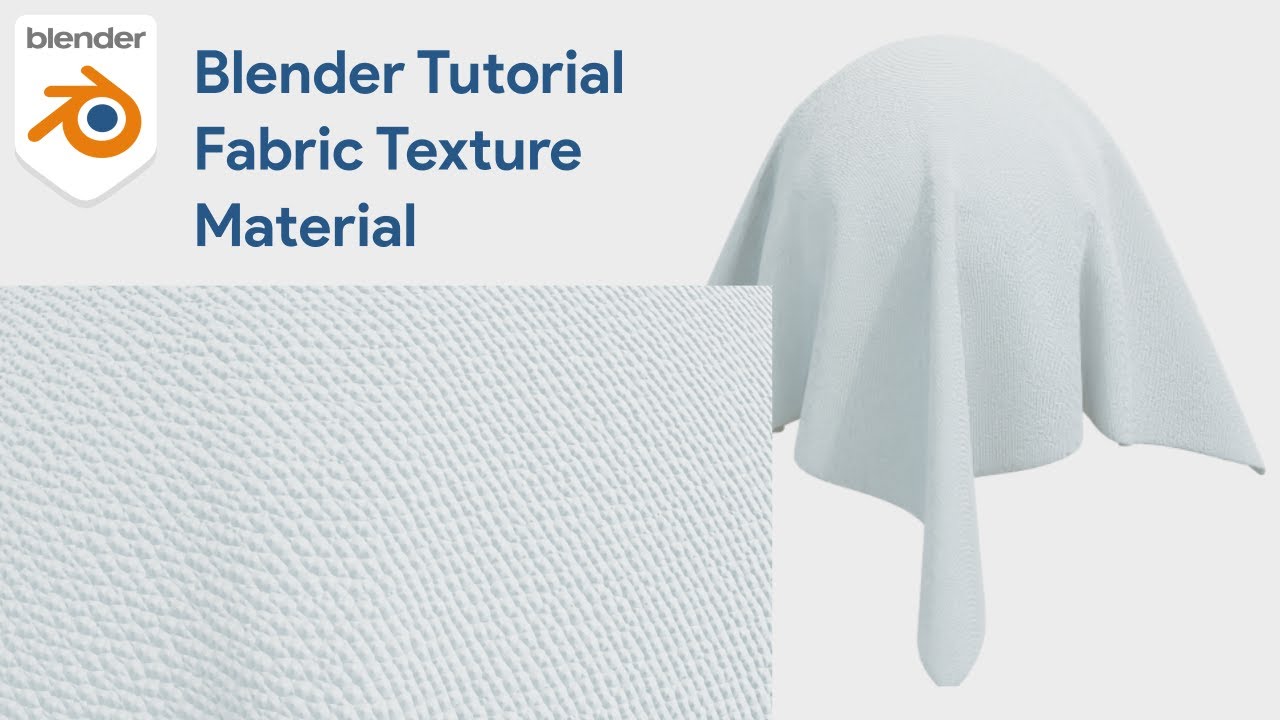
Master Blender Tutorial Fabric Texture Material: Easy and Simple Guide for 3D Artists
In the expansive world of computer graphics, mastering surface details is what separates a novice from a professional. Whether you are working on a high-end architectural visualization or a stylized character design, the ability to create realistic cloth is essential. This article serves as a comprehensive companion to the "Blender Tutorial Fabric Texture Material - Easy and Simple Tutorial." We will dive deep into the node geometry, explore how materials interact with lighting, and discuss how these techniques fit into broader 3D workflows involving animation and simulation.
Creating convincing fabric goes beyond just slapping an image texture onto a plane. It involves understanding surface imperfections, how light scatters through fibers, and how the material behaves under different conditions. Throughout this guide, we will optimize your workflow for creating stunning fabric assets in Blender.
Why Procedural Fabric Material Matters in 3D Illustration
Procedural generation in Blender allows for infinite resolution and non-destructive editing. Unlike image-based textures which can become pixelated when viewed close up, a procedural fabric material maintains its crispness at any distance. This is crucial for close-up shots in product design or detailed character animation.
Furthermore, understanding the shader editor allows you to customize the look rapidly. You can change a cotton shirt to a silk dress simply by tweaking values in the Roughness, Sheen, and Normal map nodes. This flexibility is vital when clients request changes late in the production pipeline.
Core Concepts: From Node Geometry to Rendering
To achieve the result seen in the tutorial, you need to leverage Blender's powerful Node Editor. The core of any good fabric material lies in the manipulation of coordinates and noise patterns.
- Using Texture Coordinates to map your shader correctly across the mesh surface.
- Implementing Mapping nodes to control the scale and rotation of the weave pattern.
- Combining Wave Textures or Voronoi Textures to simulate the threading of cloth.
- Adjusting the Principled BSDF to control how light reacts to the surface, specifically the Sheen parameter which mimics the microscopic fibers on cloth edges.
In the context of a broader project, such as a sports scene, these textures become even more critical. Imagine a scene involving a soccer ball hitting the net. The net requires a specific rope-like fabric texture, while the ball requires a synthetic leather finish. Understanding the basics covered in our featured tutorial allows you to adapt these techniques for any surface.
Tutorial Specifications & Resources
| Tutorial Topic | Fabric Texture & Material Creation |
| Software Required | Blender 3D (Latest Version Recommended) |
| Difficulty Level | Beginner to Intermediate |
| Key Techniques | Shader Nodes, UV Unwrapping, Lighting |
| Render Engine | Cycles or Eevee |
| External Resource | Download Latest Version Blender |
Integrating Fabric with Animation and Physics
A static texture is beautiful, but fabric truly comes alive when it moves. Blender offers robust physics systems that interact seamlessly with the materials you create. When you apply a Cloth modifier, the way the light catches the folds of the material changes dynamically.
Simulating Wind and Environmental Factors
Consider a scenario where you need to render a flag waving in the wind. The texture must look realistic as it deforms. By combining the fabric shader with a wind force field, you create a believable simulation. The physics engine calculates the tension and weight, while your shader handles the visual fidelity. Unlike solid objects like ice or gold, fabric must appear pliable and soft.
Rigid Body and Cloth Interaction
For more complex interactions, such as a character wearing clothes or a soccer ball bouncing off a cushioned surface, you will need to understand the relationship between Rigid Body simulations and Cloth physics. A rigid body object acts as a solid collider, ensuring the cloth does not pass through it. This is essential for rigging characters where clothing must follow the movement of the limbs without clipping.
Water Simulation Fluid Blender Tutorial Cycles Render is another area where physics plays a massive role, much like in cloth simulation. Understanding fluid dynamics can actually help you understand how heavy fabrics drape and flow like slow-moving liquids.
Advanced Material Comparisons: Fabric vs. Others
To truly appreciate the complexity of fabric, it helps to compare it with other common 3D materials.
- Gold vs. Fabric: Gold is a metallic material with high specularity and practically no diffuse reflection. Fabric is dielectric, relies heavily on diffuse reflection, and utilizes sheen. Gold requires a low roughness value, while fabric generally has high roughness.
- Ice vs. Fabric: Ice materials rely on transmission and subsurface scattering to allow light to pass through. Fabric is mostly opaque, although thin fabrics like curtains may use some translucency.
- Water vs. Fabric: Water is purely reflective and refractive with dynamic displacement. Fabric uses static displacement or normal maps to simulate the weave.
Mastering these differences is key to becoming a versatile 3D artist. For those interested in lighting effects, you might find this resource helpful: How to Make Stunning Neon Light Text in Blender (A Complete 3D Tutorial). This guide explores emission shaders which are the polar opposite of the diffuse shaders used for cloth.
Step-by-Step Breakdown of the Video Tutorial
The featured video, "Blender Tutorial Fabric Texture Material - Easy and Simple Tutorial," breaks down the process into manageable steps. Here is what you can expect to learn when you watch the full guide.
First, the tutorial guides you through the interface of the Shader Editor. You will learn how to add a new material to your object. The presenter demonstrates how to delete the default nodes if necessary and start from scratch to ensure a clean workflow.
Next, the focus shifts to the "Node Geometry." This is where the magic happens. By using nodes that mathematically calculate patterns, you avoid the need for downloading massive texture files that clog your memory. The tutorial shows how to mix different noise textures to create the irregularity found in natural fabrics like linen or wool.
Finally, the tutorial covers the lighting setup. A material only looks as good as the light hitting it. You will see how to position area lights to highlight the texture details, creating a dramatic and professional final render.
Expanding Your 3D Skill Set
Once you have mastered the fabric material, the possibilities are endless. You can apply these textures to furniture in interior design visualization, clothing for animated characters, or even abstract art pieces.
If you are interested in trending design styles, combining realistic textures with stylized shapes is very popular right now. For example, you can learn How to make design trend (Handphone and balloons) in Blender 3D to see how different material types work together in a cohesive composition.
Tips for Realistic Renders
- Always use a reference image. Whether it is a piece of denim or a soccer jersey, having a real-world reference helps you tune the settings in Blender.
- Do not ignore the "Fresnel" effect. All materials, including fabric, become more reflective at glancing angles.
- Experiment with "Displacement" nodes for thick fabrics like towels or carpets, where normal maps might not be enough to convey depth.
- Keep your scene organized. Name your materials properly (e.g., "Mat_Velvet_Red") so you can find them easily when your scene grows complex.
Conclusion
Learning to create custom fabric textures in Blender is a fundamental skill that opens doors to many other areas of 3D design, from fashion illustration to architectural visualization. By following the tutorial and understanding the underlying principles of the node system, physics, and lighting, you elevate the quality of your work significantly.
Remember that 3D art is a journey of continuous learning. Start with this simple fabric tutorial, and soon you will be confident enough to tackle complex simulations involving wind, water, and rigid body dynamics. The tools are in your hands; it is time to create something amazing.
More Blender Video in this playlist : Playlist Blender Tutorial on YouTube
Link My Store in CGTrader : My Profile on CgTrader
Link My Profile in BlenderNation : My Profile on BlenderNation
Link My Store in BlenderMarket / SuperHive : My Store BlenderMarket ( SuperHive )
Like, Share, Comment, and Subscribe !!!
✨ Support Me :
Buy me a coffee: Buy me a coffee
Link Ko-Fi: Support me on Ko-fi
Link PayPal: Donate via PayPal
____________________________Please visit my store, if you want to buy you can via this link or contact me. My LinkTreeEmail : sofyantsaury63@gmail.com


