Blender Tutorial Realistic Fire Simulation Particle System - Realistic Flamethrower
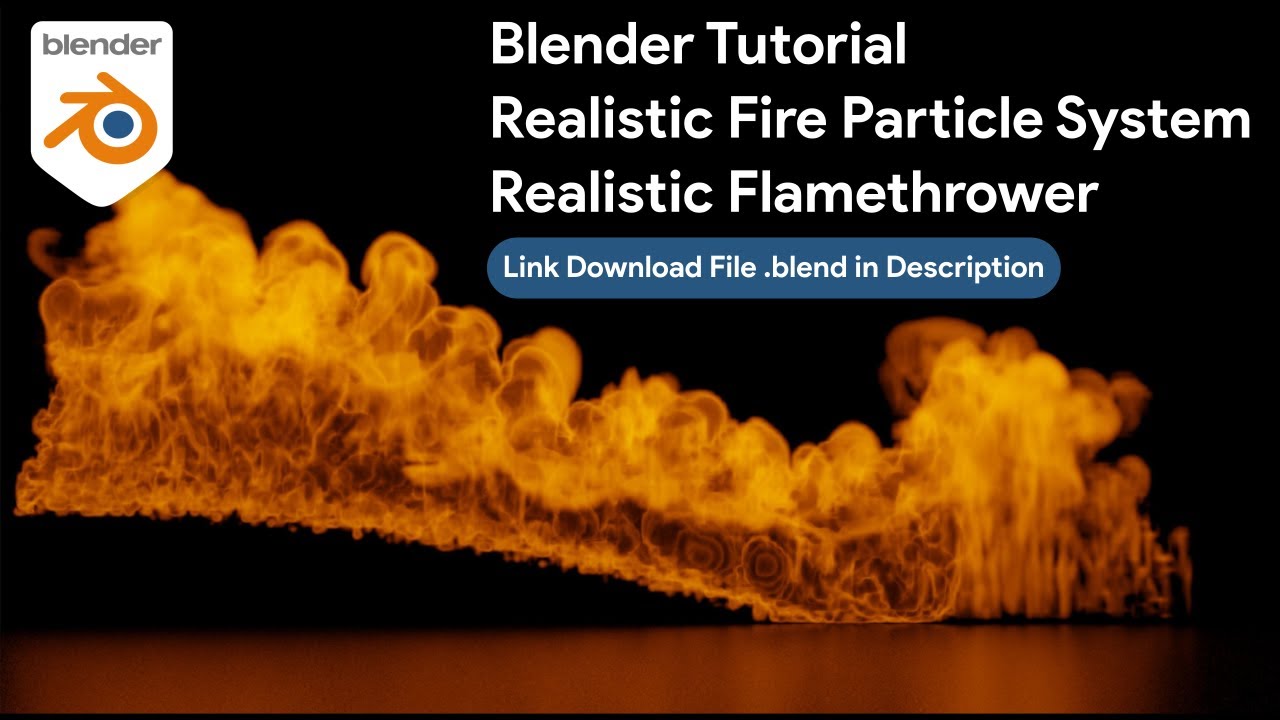
Blender Tutorial: Realistic Fire Simulation Particle System & Creating a Realistic Flamethrower
Mastering the art of 3D elements requires a deep understanding of various simulation types. Whether you create a dynamic 3D illustration or a complex animation, fire remains one of the most challenging natural elements to replicate digitally.
This comprehensive guide focuses on the "Blender Tutorial Realistic Fire Simulation Particle System - Realistic Flamethrower - Easy and Simple Tutorial." You will learn how to harness the power of Blender physics to create a stunning flamethrower effect that looks professional and cinema-ready.
Why Use Particle Systems for Fire Simulation?
Many beginners start their journey with simple modeling, perhaps creating a soccer ball or a gold texture on a primitive shape. However, fluid dynamics and fire simulations operate differently.
To achieve a realistic flamethrower look, you must combine a particle system with a smoke and fire domain. This allows the fire to follow a specific trajectory, much like water spraying from a hose, rather than burning vertically like a candle.
In this tutorial, you utilize a specific workflow:
- Create a source geometry to act as the nozzle.
- Apply a particle system to shoot particles forward.
- Link the particles to a fluid flow setting (Fire + Smoke).
- Adjust the domain settings for high-resolution details.
How to Make Stunning Neon Light Text in Blender (A Complete 3D Tutorial)
Read too : Cute chubby cat astronaut floating in space, pastel colors, kawaii style, bold outline, vector art
Integrating Physics: Wind, Velocity, and Turbulence
A static fire looks fake. To sell the realism, you must introduce external forces. Just as you might use a rigid body simulation for a falling stone or crashing ice, you need force fields for fire. By adding a "Wind" force field and a "Turbulence" field, you break up the uniform flow of the flames.
This introduces chaos, miming how real fire interacts with air resistance.
Think of this process like rigging a character. When you approach rigging, you define how bones move the mesh. When you approach fire simulation, you define how physics forces move the volume. This is crucial for anyone interested in high-end animation work.
Read too : Blender Tutorial Realistic Fire Simulation Cycles Render - Easy and Simple Tutorial
Texturing and Shading the Fire
The visual impact of your flamethrower relies heavily on the material setup. Unlike a solid object where you simply apply a gold material or a texture map, fire requires volumetric shading. You will work within the Shader Editor, utilizing nodes to control the Blackbody intensity.
This determines the temperature and color of the flames, shifting from bright white-hot centers to cooling orange and red edges.
Water Simulation Fluid Blender Tutorial Cycles Render
Expanding Your 3D Skill Set
While this tutorial focuses on fire, the principles apply across the entire 3D spectrum. Understanding how nodes interact in the shader editor helps when you later create complex materials like ice or procedural skin. Learning how particles flow aids you when using node geometry for scattering objects like grass or rocks.
Even if your primary interest lies in creating a sports scene—for example, a soccer match illustration—knowing how to simulate atmospheric effects adds depth to your render. You might want to add fog, smoke flares in the crowd, or rain. The physics knowledge gained from creating a flamethrower translates directly to these other scenarios.
How to make design trend (Handphone and balloons) in Blender 3D
Tutorial Specifications and Requirements
Before starting the tutorial, ensure you have the correct software version and understand the resource requirements. Simulation caching can take up significant disk space.
Project Technical Details
| Software Required | Blender 3D (Version 3.0 or higher recommended) |
|---|---|
| render Engine | Cycles (Recommended for best volumetric realism) |
| Simulation Type | MantaFlow Fluid (Gas/Fire) + Particle System |
| Difficulty Level | Beginner to Intermediate |
| Key Techniques | Flow Emitters, Domain Resolution, Force Fields, Shader Nodes |
| Download Blender | Get the Latest Version Here |
Final Thoughts on Realistic Simulations
Creating a realistic flamethrower in Blender serves as an excellent exercise for mastering the physics engine. By controlling the lifespan of particles and the vorticity of the smoke domain, you transform a basic 3D scene into a dynamic animation. Remember that settings for a flamethrower differ vastly from a campfire; velocity is key.
We encourage you to watch the full video linked at the top of this post. Follow along step-by-step, pause where necessary, and experiment with the settings. Try changing the fuel rate or the wind strength to see how the simulation reacts. This hands-on approach is the best way to learn.
Keep practicing your skills in simulation, modeling, and texturing. Whether you are rendering a gold ring, a soccer ball, or a raging fire, Blender provides the tools you need to succeed.
More Blender Video in this playlist : Playlist Blender Tutorial on YouTube
Link My Store in CGTrader : My Profile on CgTrader
Link My Profile in BlenderNation : My Profile on BlenderNation
Link My Store in BlenderMarket / SuperHive : My Store BlenderMarket ( SuperHive )
Like, Share, Comment, and Subscribe !!!
✨ Support Me :
Buy me a coffee: Buy me a coffee
Link Ko-Fi: Support me on Ko-fi
Link PayPal: Donate via PayPal
____________________________Please visit my store, if you want to buy you can via this link or contact me. My LinkTreeEmail : sofyantsaury63@gmail.com


