Unlock the Asgardian Secret: A Deep Dive into the Procedural Dissolving Loki Effect in Blender 3D
Unlock the Asgardian Secret: A Deep Dive into the Procedural Dissolving Loki Effect in Blender 3D
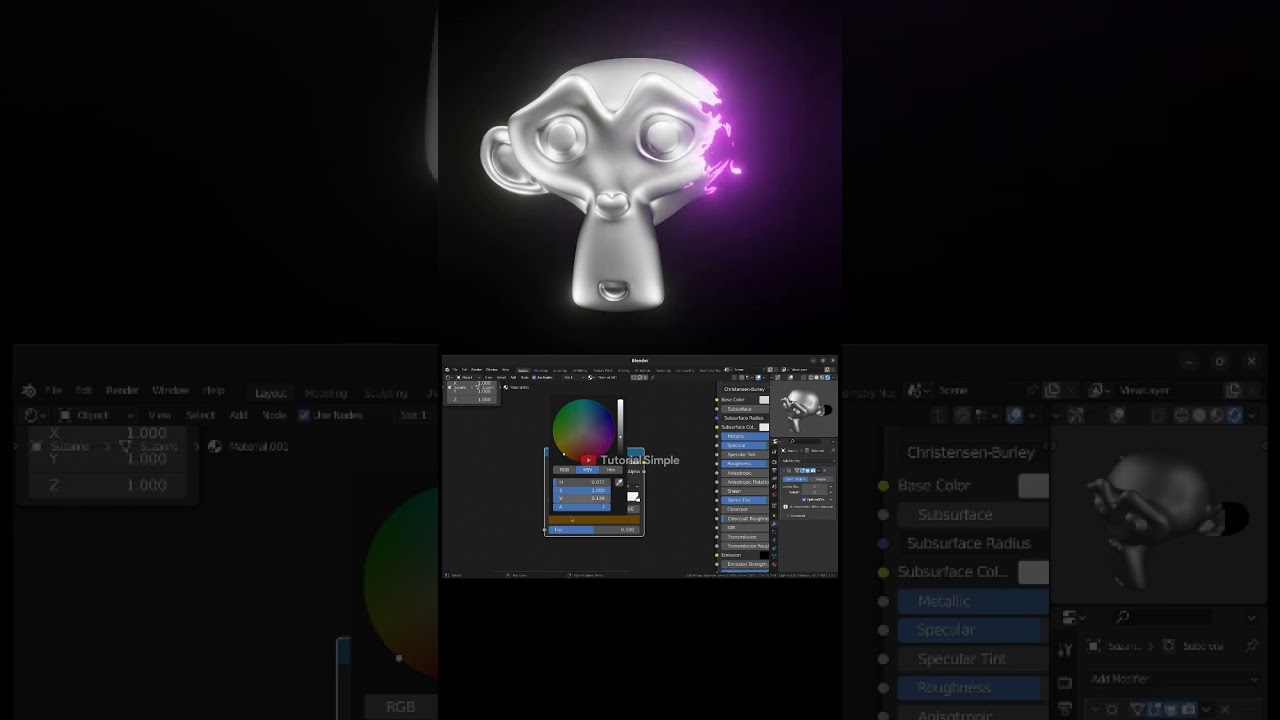
In the vast universe of visual effects, few moments capture the imagination quite like the mesmerizing, green-hued disintegration of a Loki variant. It is a stunning visual spectacle—part temporal glitch, part magical erasure—that has left VFX artists and fans in awe. Recreating such a complex and organic effect from scratch can be a monumental task, often requiring days of simulation, tweaking, and rendering. But what if you could harness that power in your own Blender 3D projects with just a few clicks? Today, we are pulling back the curtain on this incredible effect and introducing a powerful tool that puts this cinematic magic at your fingertips: the Procedural Dissolving Effect Blender 3D file.
This article serves as a comprehensive guide to understanding, utilizing, and mastering this advanced VFX technique. Whether you are a seasoned VFX professional looking to streamline your workflow or a Blender enthusiast eager to elevate your video projects, this procedural file is your ultimate solution.
What Exactly is the Loki Dissolving Effect?
Before diving into the technicals, let’s appreciate the artistry. The Loki dissolving effect is a unique form of character disintegration. Unlike a simple fade or particle burst, it has a distinct personality. Key visual characteristics include:
- A vibrant, ethereal green glow that outlines the subject.
- A layered disintegration that appears to peel away the character, revealing energy underneath.
- A "glitchy" or "staticky" quality that suggests a digital or temporal disturbance.
- Fine, dust-like particles that drift away as the effect concludes.
This combination of elements makes the effect feel both magical and technological, a perfect representation of the Time Variance Authority's power in the Loki series. Achieving this nuanced look requires a sophisticated approach that goes beyond basic particle systems.
The Challenge of Creating Complex VFX in Blender 3D
Creating a high-quality disintegration effect in Blender 3D traditionally involves several complex workflows. You might use a particle system controlled by a texture, which can be difficult to direct and often lacks the desired organic feel. Another method involves fluid or smoke simulations, which are notoriously heavy on computer resources and can lead to prohibitively long render times. These methods are often "destructive," meaning once you bake the simulation, making changes is a tedious process of starting over.
The core challenge is achieving a result that is both visually stunning and artistically controllable. You need an effect that you can time perfectly with your animation, customize to fit your scene's lighting, and reuse across different projects without a massive setup overhead. This is where a procedural workflow becomes a game-changer.
The Power of Proceduralism: Introducing Our Loki Effect .blend File
Our Procedural Dissolving Effect file leverages the immense power of Blender's Geometry Nodes to create the Loki effect in a completely non-destructive, customizable, and efficient way. "Procedural" means the effect is generated by a series of mathematical rules and nodes rather than being manually sculpted or simulated. This gives you unparalleled control and flexibility.
This isn't just a simple effect; it's a complete VFX system condensed into an easy-to-use Blender file. Here is what makes it stand out:
- Fully Procedural and Non-Destructive: Built entirely with Geometry Nodes, you can change every aspect of the effect at any time without having to re-simulate or bake anything. Modify the effect on the fly and see the results instantly in your viewport.
- Highly Customizable: A user-friendly interface allows you to control key parameters. Easily change the color of the glow, the speed of the dissolve, the density of the particles, and the pattern of the disintegration noise. No deep knowledge of nodes is required to get started.
- Drag-and-Drop Ready: The system is designed for efficiency. Simply append the node group into your project, apply it as a modifier to any object or character, and you are ready to animate.
- Optimized for Eevee and Cycles: Whether you need real-time feedback for animation with Eevee or photorealistic results with Cycles, the included materials and setup are optimized for both of Blender's powerful render engines.
- Versatile Application: While it perfectly replicates the Loki effect, its creative potential is limitless. Use it for sci-fi teleportation, magical spells, ghostly apparitions, or abstract motion graphics.
See It in Action: A Video Tutorial Breakdown
Words can only describe so much. To truly appreciate the power and simplicity of this file, you can watch a complete video tutorial and demonstration on YouTube. This video walks you through the entire process, from opening the file to applying the effect and customizing the parameters. It is the perfect visual guide to help you get started quickly.
The tutorial demonstrates how to apply the effect to a sample character, animate the dissolve factor, and tweak the shader properties to achieve different looks. It is a must-watch for anyone who purchases the file and wants to unlock its full potential. You can see how an intricate VFX shot can be set up in minutes, not hours.
Watch the full video tutorial here: Procedural Dissolving Effect Blender 3d ( Loki Effect ) on YouTube
How to Use the Procedural Dissolving Effect File: A Step-by-Step Guide
Getting this cinematic effect into your project is incredibly straightforward. Here is a simple workflow to follow after you have the file:
- Download the File: Secure your copy of the `.blend` file from my SuperHive store.
- Open Your Project: Launch Blender and open the scene where you want to apply the effect.
- Append the Node Group: Go to File > Append. Navigate to the downloaded `.blend` file, go into the "NodeTree" folder, and select the "Procedural_Dissolve_Effect" node group.
- Select Your Object: In your scene, select the character model or object you wish to dissolve.
- Add the Modifier: Go to the Modifier Properties tab, click "Add Modifier," and select "Geometry Nodes."
- Assign the Node Group: In the Geometry Nodes modifier, click the dropdown menu and select the "Procedural_Dissolve_Effect" node group you just appended. Your object will now have the effect applied.
- Animate and Customize: The modifier will have several input fields exposed. The most important is the "Dissolve Factor." You can keyframe this value from 0 to 1 to control the timing of the disintegration. Play with other sliders like "Glow Color," "Noise Scale," and "Particle Density" to fine-tune the look.
This process is designed to be as user-friendly as possible, integrating seamlessly into the standard Blender workflow without requiring complex scripting or add-ons.
Technical Specifications and File Details
Here is everything you need to know about what you get with this powerful VFX asset. This table provides a clear overview of the product's features and requirements, ensuring it's the right fit for your creative needs.
| Product Name | Procedural Dissolving Effect Blender 3D (Loki Effect) |
|---|---|
| File Format | .blend |
| Software Required | Blender 3D (Version 3.0 or newer recommended for full Geometry Nodes compatibility) |
| Render Engines | Fully compatible with Eevee and Cycles |
| Core Technology | Geometry Nodes and Procedural Shaders |
| Contents | A `.blend` file containing the complete Geometry Nodes setup, customizable shaders, and an example scene for reference. |
| License and Usage Terms | This file is available for both personal and commercial project use. However, resale or redistribution of the file itself is strictly prohibited. |
| Get Your File | Available on My SuperHive Store |
Who Is This Blender VFX File For?
This tool is built for a wide range of creators who use Blender 3D. If you fit into any of these categories, you will find immense value in this procedural effect file:
- VFX Artists: Save countless hours of R&D and setup time. Add a high-quality disintegration effect to your shots quickly and move on to the next creative challenge.
- Independent Filmmakers: Elevate the production value of your short films or series without needing a massive budget or a dedicated VFX team.
- Animators and Motion Designers: Create stunning character exits, magical transformations, or abstract visual sequences with an easily art-directable effect.
- Game Developers: Use Blender to create pre-rendered sprite sheets or cinematic sequences for your game featuring professional-grade visual effects.
- Blender Hobbyists: Learn by deconstructing a complex, professional-level Geometry Nodes setup. It is a fantastic educational tool as well as a practical asset.
Final Thoughts: Your Next Level of VFX Awaits
The Procedural Dissolving Effect file is more than just an asset; it's a gateway to creating visuals you might have previously thought were out of reach. It embodies the best of modern computer graphics: complex results driven by an intelligent, flexible, and user-friendly system. By removing the technical barrier, it allows you, the artist, to focus on what truly matters—telling a compelling story through breathtaking visuals.
Stop spending time wrestling with complex simulations and start creating. Elevate your character animations, supercharge your motion graphics, and bring a touch of cinematic magic to your next video. Ready to master the art of temporal disintegration? Download the Procedural Dissolving Effect Blender 3D file from my SuperHive store today and bring your VFX vision to life.
For even more dynamic simulations, check out our Blender Cycles Render Simulation Realistic Fire And Smoke asset.
More Blender Video in this playlist : Playlist Blender Tutorial on YouTube
Link My Store in CGTrader : My Profile on CGTrader
Link My Profile in BlenderNation : My Profile on BlenderNation
Link My Store in BlenderMarket / SuperHive : My Store BlenderMarket ( SuperHive )
Like,Share, Comment, and Subscribe !!!
✨ Support Me :
Buy me a coffee: Buy me a coffee
Link Ko-Fi: Support me on Ko-fi
Link PayPal: Donate via PayPal
Please visit my store, if you want to buy you can via this link or contact me : My LinkTree
Email : sofyantsaury63@gmail.com


